
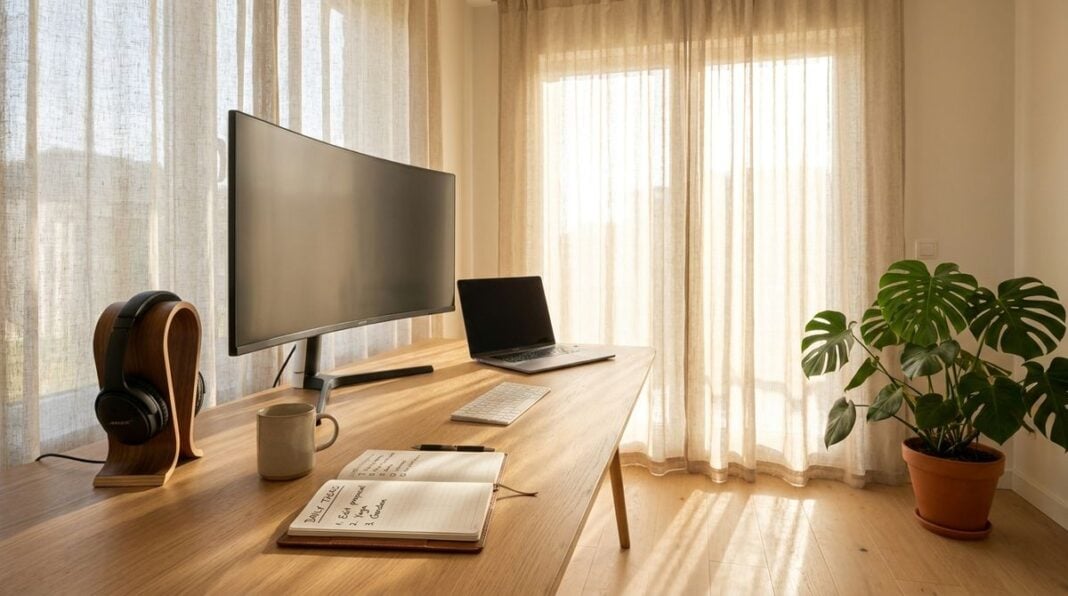


Working from home can be a comfortable and flexible arrangement, whether you are doing occasional freelance tasks, managing a small service, or helping a former employer with remote projects. A good home office does not need to be large or expensive. What it needs is a quiet place, a comfortable seat, good light, and a reliable connection. Without those basics, work can feel tiring and scattered, and the boundary between work and home life can blur. This article offers practical guidance on setting up a home office that supports focus and health. It covers choosing a suitable corner, arranging seating and the screen, separating work from home life, and planning for backups and connectivity.
Choosing a corner with light
Look for a space that feels calm and has access to natural light. A corner near a window is often ideal, because daylight helps you feel alert and makes reading the screen more comfortable. Avoid placing the desk directly facing a window, since glare can strain the eyes. A side on position is usually more comfortable, with the window to one side of the screen rather than behind it.
Consider noise as well. A spare bedroom, a quiet end of a living room, or a small nook under the stairs can work well, provided it is away from the television and busy household traffic. If the space is shared, agree on a simple signal for when you need uninterrupted time. A closed door or a sign on the desk can make that request clear and friendly.
Comfortable seating and screen height
A supportive chair is one of the most important items in the office. Look for a seat that adjusts in height, has good lower back support, and allows your feet to rest flat on the floor. Armrests should be at a height that lets your shoulders stay relaxed. If your chair does not fit well, a cushion or a small footrest may help, although they should not replace proper adjustment.
Position the screen so that the top of the display is at about eye level, and the screen is roughly an arm’s length away. Using a separate keyboard and mouse can help you keep your wrists in a comfortable position. Many people find that a stand for a laptop, combined with an external keyboard, makes a noticeable difference during long sessions. Take regular breaks, stand up, and move around, because stillness can be tiring even in a comfortable chair.
Readers may also want to visit itvnews24.com. These guides often include simple diagrams that make the adjustments easier to understand.
Separating work from home life
A home office is easier to enjoy when work has a clear start and finish. Choose set working hours, and let family members know when you are available. At the end of the day, close the work folders, turn off notifications, and tidy the desk. These small actions signal to your mind that work is finished, which can help you relax in the evening. You can also visit letterboxd for more reading.
Keep work items in one place rather than spreading them around the house. A small storage box or a drawer can hold documents, chargers, and stationery. When the work is done, put the box away. This simple habit keeps the rest of the home feeling like home, and it makes the office easier to return to the next day.
Backups and a reliable connection
A dependable internet connection is essential for remote work. Check the speed and stability at different times of day, and note any drop outs. If the connection is weak in your chosen corner, consider moving the router closer or asking your provider for advice. Keep the contact details for your provider handy, so you can report problems quickly.
Backups protect your work from loss. Save important files to a secure external location or an online folder that you trust, and test the restore process occasionally. Use a strong password and two step sign in for work accounts. Keep a spare charger and a small power backup if your region experiences frequent outages. For a related read on this site, see Reading Warning Lights Before Your Next Shift.
Here is a simple setup checklist for a quiet home office:
- Choose a corner with natural light and minimal noise.
- Adjust the chair so that your feet rest flat and your back is supported.
- Place the screen at about eye level and an arm’s length away.
- Set working hours and close the work day with a simple routine.
- Test the internet connection and keep backups of important files.
A quiet office supports focus, comfort, and a healthy balance between work and home. With a thoughtful setup and a few steady habits, remote work can be a pleasant and productive part of life.