
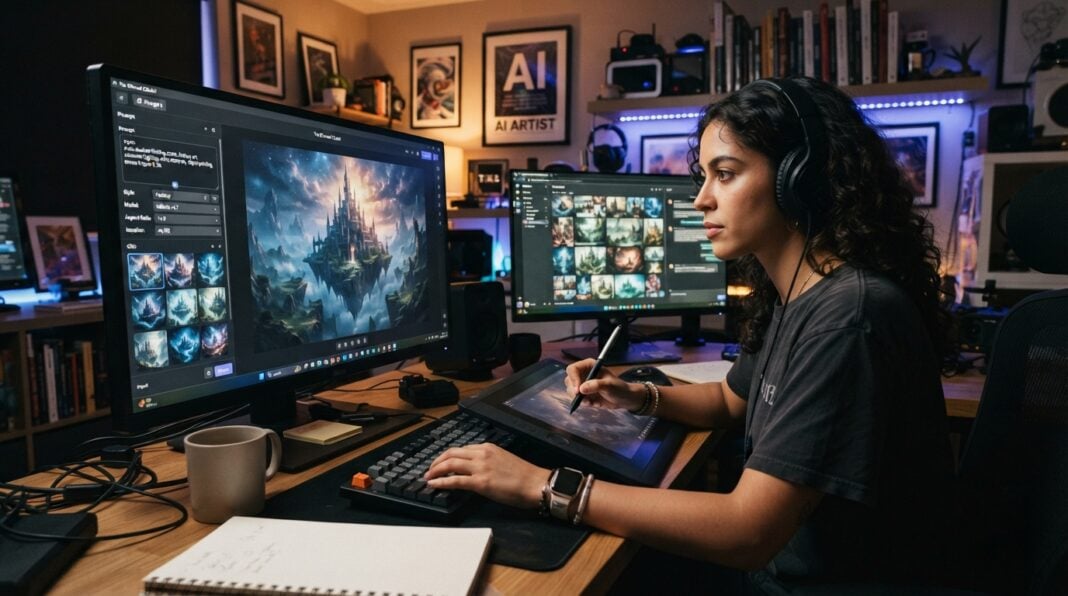


Artificial intelligence has changed the way digital images are created. Not long ago, producing a polished visual often required a combination of photography, graphic design software, stock assets, and considerable editing time. Today, generative AI can turn a written description into an image within moments, while newer image-generation systems can also modify existing visuals through natural-language instructions.
This shift has made AI image generators useful to designers, marketers, content creators, educators, entrepreneurs, and everyday users. Instead of learning every technical feature of professional design software before producing an idea, users can describe what they want and then refine the result.
One technology frequently discussed in this space is the Nano Banana 2.5 AI image generator. The term is commonly associated with Google’s Gemini 2.5 Flash Image model, while newer versions in the Nano Banana family should be treated as distinct models rather than interchangeable names. Understanding that distinction is important when comparing AI image tools, because different platforms may provide access to different models, versions, or related workflows.
What Makes AI Image Generation Different?
Traditional image creation usually starts with an existing asset or a blank canvas. A designer might photograph a product, search for an appropriate background, create a composition, adjust colors, add typography, and export several versions for different platforms.
Generative AI approaches the process differently. The user begins with an instruction.
For example, a prompt could describe a modern coffee shop at sunrise, with warm window light, wooden furniture, indoor plants, and an empty area on one side for promotional text. The AI interprets those instructions and generates a visual based on the description.
This makes the process more conversational.
Instead of manually explaining every design decision through menus and adjustment panels, users can communicate ideas using ordinary language. The result can then be reviewed and refined through additional instructions.
Research into generative AI increasingly treats these systems as multimodal technologies capable of working across text, images, audio, video, and other forms of digital content. Image generation is therefore becoming part of a broader creative workflow rather than an isolated novelty.
Understanding Nano Banana 2.5
The name “Nano Banana 2.5” can be confusing because AI model names evolve quickly. CapCut’s current explanatory material identifies Nano Banana 2.5 with the original Gemini 2.5 Flash Image model and distinguishes it from Nano Banana 2 and Nano Banana Pro.
For users, the practical lesson is simple: always check which model a particular platform is actually providing.
The important concept is not simply the name of a model but what it allows creators to accomplish. Modern AI image systems can support text-to-image generation, image transformation, visual experimentation, composition development, and iterative editing.
A creator might begin with a written concept, generate several possible directions, select the strongest result, and then make targeted changes. This process can reduce the time between an initial idea and a usable visual.
From Text Prompt to Finished Image
The quality of an AI-generated image depends heavily on the quality of the instructions provided to the system.
A vague prompt such as “make a beautiful restaurant picture” leaves many creative decisions unresolved. A more useful prompt might specify the subject, environment, lighting, camera perspective, composition, mood, and intended format.
For example:
“Create a realistic editorial photograph of a modern rooftop restaurant at sunset, viewed from a slightly elevated angle. Use warm ambient lighting, natural wood furniture, green plants, and a city skyline in the background. Leave clear negative space in the upper-left area for a headline.”
This gives the generator a much clearer creative brief.
The same principle applies when editing an existing image. Instead of simply asking the AI to “make it better,” a user can identify the specific change required.
For example:
“Replace the background with a bright coastal landscape while keeping the product shape, label, position, and lighting consistent.”
Specific instructions make it easier to evaluate whether the output actually meets the original objective.
Why Reference Images Matter
Text prompts are powerful, but references can provide additional context.
Suppose a business needs promotional images for a particular product. A purely text-based prompt may produce something visually attractive but fail to preserve the product’s actual shape, packaging, or important details.
An image-to-image workflow can provide the AI with a visual starting point. The user can then describe the changes they want while identifying the elements that should remain unchanged.
This approach is useful for product concepts, portraits, social media graphics, advertising ideas, storyboards, and design exploration.
CapCut’s current Nano Banana-related workflow describes both text-to-image and image-to-image approaches, allowing users to start from a written idea or transform a reference image.
For anyone exploring the technology, a dedicated Nano Banana 2.5 AI image generator workflow can be considered as part of a broader process of generating, experimenting with, and refining visual concepts.
Better Prompts Produce More Useful Results
Prompt writing is becoming an important creative skill.
A useful prompt generally answers several questions:
- What is the main subject?
- Where is the subject located?
- What visual style should be used?
- What lighting is appropriate?
- How should the image be composed?
- What should remain unchanged?
- What aspect ratio is required?
- Is text supposed to appear inside the image?
The order is not always critical, but clarity is.
For commercial work, it can also help to describe the intended audience and purpose. A luxury product advertisement, for example, requires a different visual direction from an educational infographic.
It is also better to make revisions systematically. If an image is almost correct but the background is distracting, change the background instruction rather than rewriting the entire prompt. This makes it easier to understand which instruction produced which change.
The Growing Importance of Text Inside Images
One of the more useful developments in generative image technology is improved handling of text within images.
Earlier image generators frequently struggled with spelling, distorted letters, inconsistent typography, and unreadable words. This made them less practical for posters, advertisements, packaging concepts, signs, and social graphics.
Newer systems have improved the ability to incorporate readable text into generated visuals. CapCut’s current Nano Banana 2 documentation, for example, highlights improved text rendering and applications such as posters, infographics, and branded designs.
However, users should still inspect generated text carefully. A visually impressive image is not necessarily ready for publication if a product name is misspelled or a headline contains an incorrect character.
For important commercial material, AI-generated typography should be treated as something to review rather than automatically trusting every output.
Practical Uses for Businesses
Businesses can use AI image generation at several stages of the creative process.
Marketing Concepts
Marketing teams can quickly explore different visual directions for advertisements, social posts, email campaigns, and landing pages. Instead of commissioning a finished design for every early idea, they can generate rough concepts and decide which direction deserves further development.
Product Visualization
AI can help visualize products in environments that would otherwise require photography or expensive staging. A product might be shown on a desk, in a kitchen, outdoors, or within a seasonal campaign concept.
These images should still be checked carefully against the real product. Artificially generated details should not misrepresent important product characteristics.
Social Media Content
Social platforms require a steady stream of visual material. AI can help creators explore different compositions for square posts, vertical stories, banners, thumbnails, and promotional graphics.
The key advantage is not simply producing more images. It is being able to test multiple creative ideas quickly.
Storyboards and Concept Art
Writers, filmmakers, video creators, and game designers can use AI images to visualize scenes before production. A written description can become a rough environment, character concept, location, or storyboard frame.
This can make communication easier when several people are working on the same creative project.
AI Image Generation Is Not a Replacement for Human Judgment
Despite rapid improvements, AI-generated images still require human review.
An image may technically follow a prompt while failing to communicate the intended message. Small details can also be incorrect. Hands, faces, logos, product labels, signs, architectural structures, and written text may require additional inspection.
There are also important questions around copyright, brand usage, privacy, consent, and commercial rights. The rules and policies surrounding generative AI continue to develop, so businesses should understand the terms of the specific platform they use before publishing AI-generated material commercially.
Human judgment remains particularly important when the image represents a real person, real product, historical event, medical subject, or factual situation.
AI can accelerate the creative process, but acceleration does not eliminate the need for verification.
Choosing the Right Workflow
Different creative goals call for different approaches.
If the goal is to create an entirely new visual, text-to-image generation is a natural starting point. If an existing photograph or design needs to be changed, image-to-image editing may be more appropriate.
For example, a designer developing a campaign could follow a workflow like this:
- Define the communication goal.
- Write a detailed visual brief.
- Generate several concepts.
- Compare composition and subject accuracy.
- Select the most useful direction.
- Refine specific details.
- Check text and important visual elements.
- Adapt the image to the required platform.
- Complete final editing and quality checks.
This approach treats AI as part of the design process rather than a button that automatically produces a finished campaign.
The Future of AI-Powered Visual Creation
The direction of AI image generation suggests that creative tools will continue moving toward more conversational workflows.
Instead of switching between separate applications for generation, editing, resizing, background removal, enhancement, and video production, creators increasingly expect these tasks to connect.
Recent software developments illustrate this broader trend. Adobe, for example, recently introduced an experimental prompt-based editing feature in Lightroom that uses Google’s Nano Banana 2 to make image changes through written instructions.
Meanwhile, other creative platforms are adding AI-powered vector generation, image editing, and multimodal capabilities.
The result could be a more integrated creative process in which an idea can move from words to an image, from an image to a refined design, and eventually into video or another format without requiring the creator to rebuild the project from scratch.
Final Thoughts
AI image generators are changing visual production by making experimentation faster and more accessible. The technology can help users move from a written concept to a visual draft without requiring every stage of the traditional design process.
Nano Banana 2.5 is part of the terminology surrounding this rapidly developing field, although users should distinguish the original Gemini 2.5 Flash Image model from later Nano Banana versions and verify what a particular platform actually provides.
The most effective approach is not to expect AI to make every creative decision. Instead, creators can use it to explore possibilities, generate alternatives, transform references, and accelerate repetitive stages of production.
The human remains responsible for the brief, the judgment, the accuracy, and the fin.